Wave Experience
Wave Experience is a browser-based augmented reality project developed for a clothing brand startup. The experience allows users to launch an interactive AR session directly from the web without requiring any application installation. Users log in and initiate the AR session, where a 3D model loads with animation and synchronized background audio. The model can be repositioned via screen interaction, scaled using touch gestures, rotated freely, paused for manual control, reset to its original state, or the session can be restarted or exited entirely. For demonstration purposes, open-source placeholder models and audio were used to preserve client privacy.
Key Features
- Web-based AR experience without application installation.
- 3D model loading using GLTFLoader.
- Animation and background audio synchronization.
- Touch-based repositioning, scaling, and rotation controls.
- Pause system for manual manipulation and screenshot capture.
- Reset, restart, and session exit functionality.
Screenshots
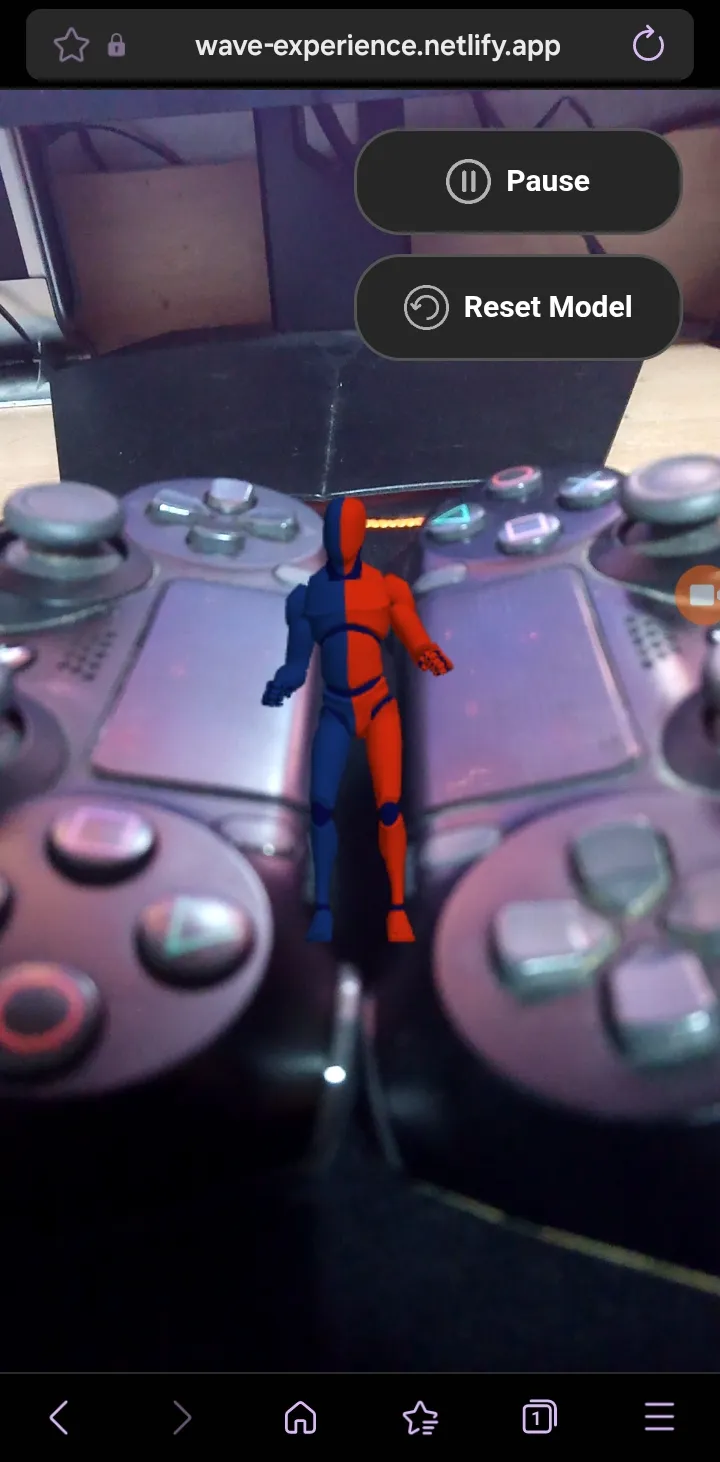
Challenges & Solutions
Challenge
Designing stable AR behavior across different mobile browsers.
Solution
Optimized model assets, reduced render overhead, and structured update loops to maintain consistent frame rates.
Challenge
Implementing intuitive 3D interaction controls.
Solution
Designed modular gesture handling systems separating touch detection, transformation calculations, and model updates.
Challenge
Synchronizing animation playback with background audio.
Solution
Structured playback state management using the Web Audio API combined with animation mixers for precise coordination.
Project Overview
Technologies
Development Process
This project focused on architecting a modular WebAR experience built around a structured rendering and interaction pipeline. The foundation was designed to separate scene management, input handling, animation control, and session state logic into independent, maintainable layers. Initial development centered on establishing a stable AR rendering flow, including optimized model loading, transformation controls, and gesture interpretation. Once interaction systems were validated, attention shifted toward synchronized audio feedback and responsive UI controls tailored for mobile environments. The final phase emphasized performance stabilization, memory management, and reliable session reset handling to ensure consistent behavior across supported devices and browsers.
Timeline
Week 1
AR rendering pipeline setup and modular scene architecture design.
Week 2
Model loading systems, gesture-based interaction controls, and transformation logic implementation.
Week 3
Animation handling, audio synchronization, and responsive UI integration.
Week 4
Session state management, performance optimization, cross-device testing, and final deployment.